Your own GPU on RunPod
Lithos Translate can run the open translation stack on a GPU you rent by the hour from RunPod. No Google or OpenAI account is involved, and your congregation's audio goes only to a server in your own RunPod account. RunPod bills you directly for the time the GPU runs. Lithos starts it when you need it and it stops itself when you're done.
Why your own GPU
- Privacy. Speech, translation and voices all run on your server. Nothing is sent to a translation company.
- Languages. The open stack covers 25 languages with voices, including some the big providers don't speak (see the languages guide).
- The trade-off: the GPU takes a few minutes to warm up, and you look after a RunPod account. If you'd rather not, Gemini or OpenAI with an API key is simpler.
Get a RunPod key
- Create an account at runpod.io. Use an address the whole team can reach, such as the clerk's or the congregation's, not one person's private email.
- Add credit under Billing. RunPod is prepaid. Turn on auto-pay or a low-balance email as well: when the balance reaches zero, RunPod stops every GPU, and storage left unpaid can be deleted.
- Create an API key under Settings → API Keys. Give it a name like Lithos Translate. Lithos needs to create and stop GPUs and storage, so it needs write access, not read-only.
- Copy the key straight into Lithos (next step). RunPod shows it only once. Treat it like a password: anyone with it can spend your credit.
Put it into Lithos
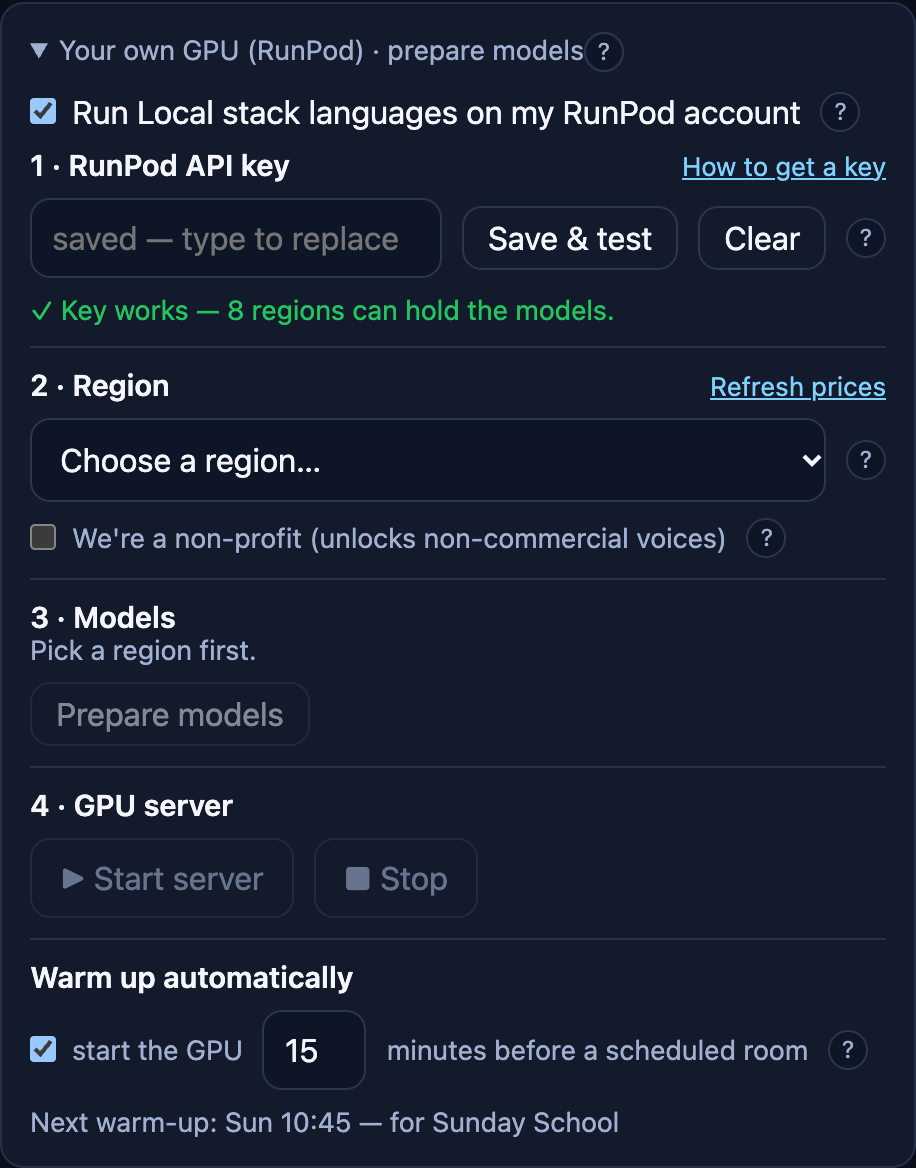
On the Operator page, open Your own GPU (RunPod) and tick Run Local stack languages on my RunPod account.
- Paste the key under 1 · RunPod API key and press Save & test. You should see ✓ Key works. The key is stored encrypted on this computer and is never shown again; to change it, paste a new one.
- Pick a region under 2 · Region, the one nearest your building. Each region shows the cheapest suitable GPU free there right now and its price per hour. A few regions only have very large, expensive cards; Lithos warns you when you pick one.
- Non-profit? Tick We're a non-profit. It unlocks a few voices whose licences allow non-commercial use only, such as the Haitian Creole voice.
Prepare the models
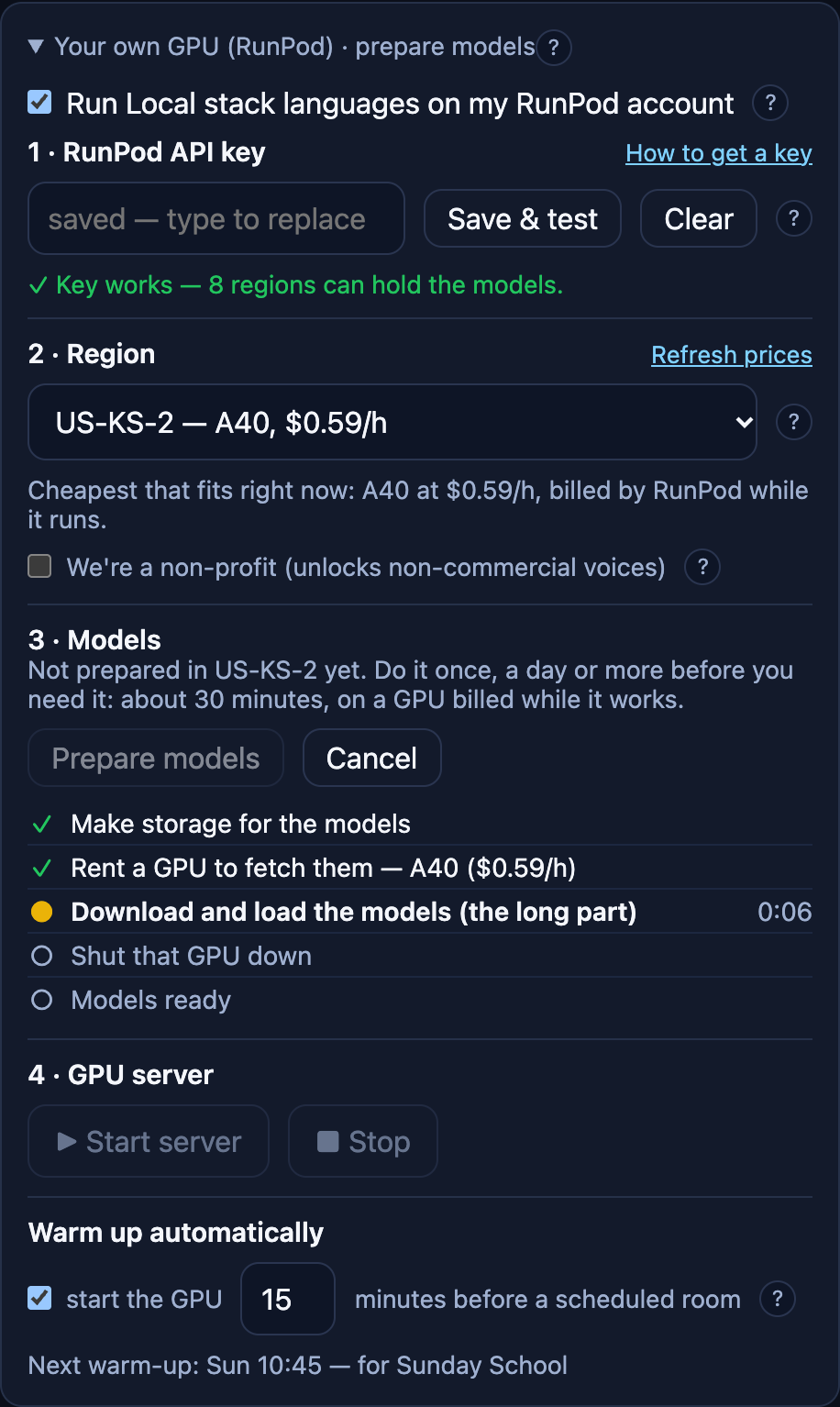
Press Prepare models under 3 · Models. Lithos makes a storage volume in your RunPod account, rents a GPU briefly to download the translation models onto it, and then gives the GPU back. A checklist shows each step. It takes a while; you can leave it running.
You only do this once per region. The storage stays between services so the GPU starts quickly. Delete models removes it if you stop using RunPod; you'd need to prepare again afterwards.
Start the GPU
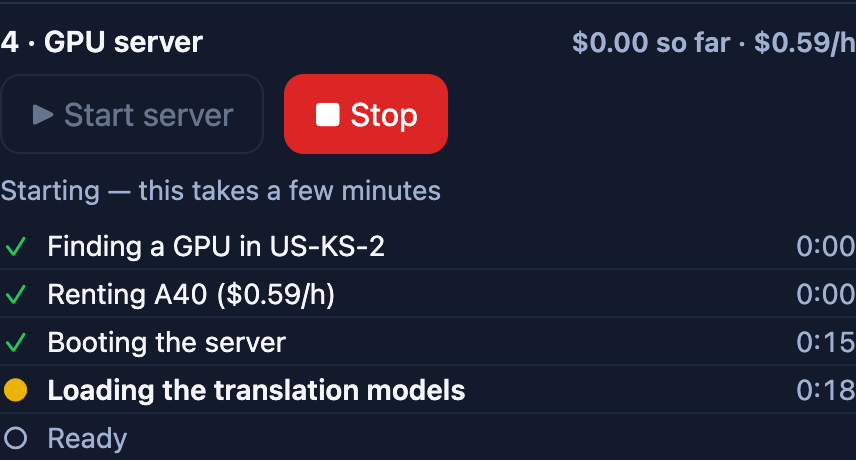
Press Start server under 4 · GPU server. Lithos shows each step as it happens: finding a GPU in your region, renting it (with its price), booting, loading the translation models, and Ready. It also shows what it has cost so far. Allow a few minutes.
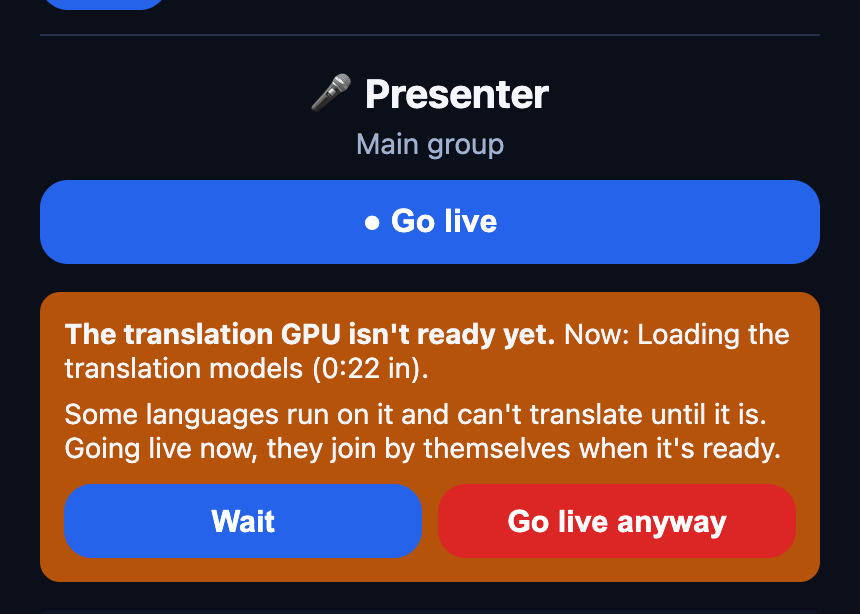
- Going live too early? If someone presses Go live while the GPU is still loading, Lithos says how far along it is and offers to wait. Going live anyway is fine: languages on other providers start at once, and the open stack's languages join by themselves when the GPU is ready.
- Stopping. Press Stop after the service. If you forget, the GPU stops itself after 15 minutes with nobody translating.
- Forgotten GPUs. When Lithos opens, it checks your RunPod account for a Lithos GPU still running and offers to stop it.
Warm up on a schedule
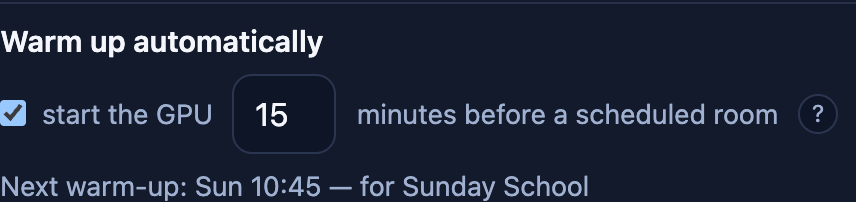
If your rooms have a weekly schedule (set under Rooms on the Operator page), Lithos can start the GPU for you. Leave Warm up automatically ticked and choose how many minutes before a scheduled room to start; 15 is the default. The card shows when the next warm-up will happen, for example Next warm-up: Sun 10:45 — for Sunday School.
Only rooms that use a language on the Local stack trigger a warm-up. The computer running Lithos has to be on and awake at that time.
What it costs
- GPU time, by the hour, from the moment it's rented until it stops, including warm-up and the 15 idle minutes at the end. Lithos shows the hourly price before you start, and the running total while it runs.
- Model storage, every month, whether or not the GPU runs. It's small next to GPU time, and Delete models ends it.
- Prices change with demand and differ by region. RunPod's billing page has the exact figures.
When something's wrong
"Key refused" or the test fails
No GPU free in my region
"Prepare models first"
The GPU stopped in the middle of a service
Stuck? Write to support@lithos.community. Never send us your RunPod key.